
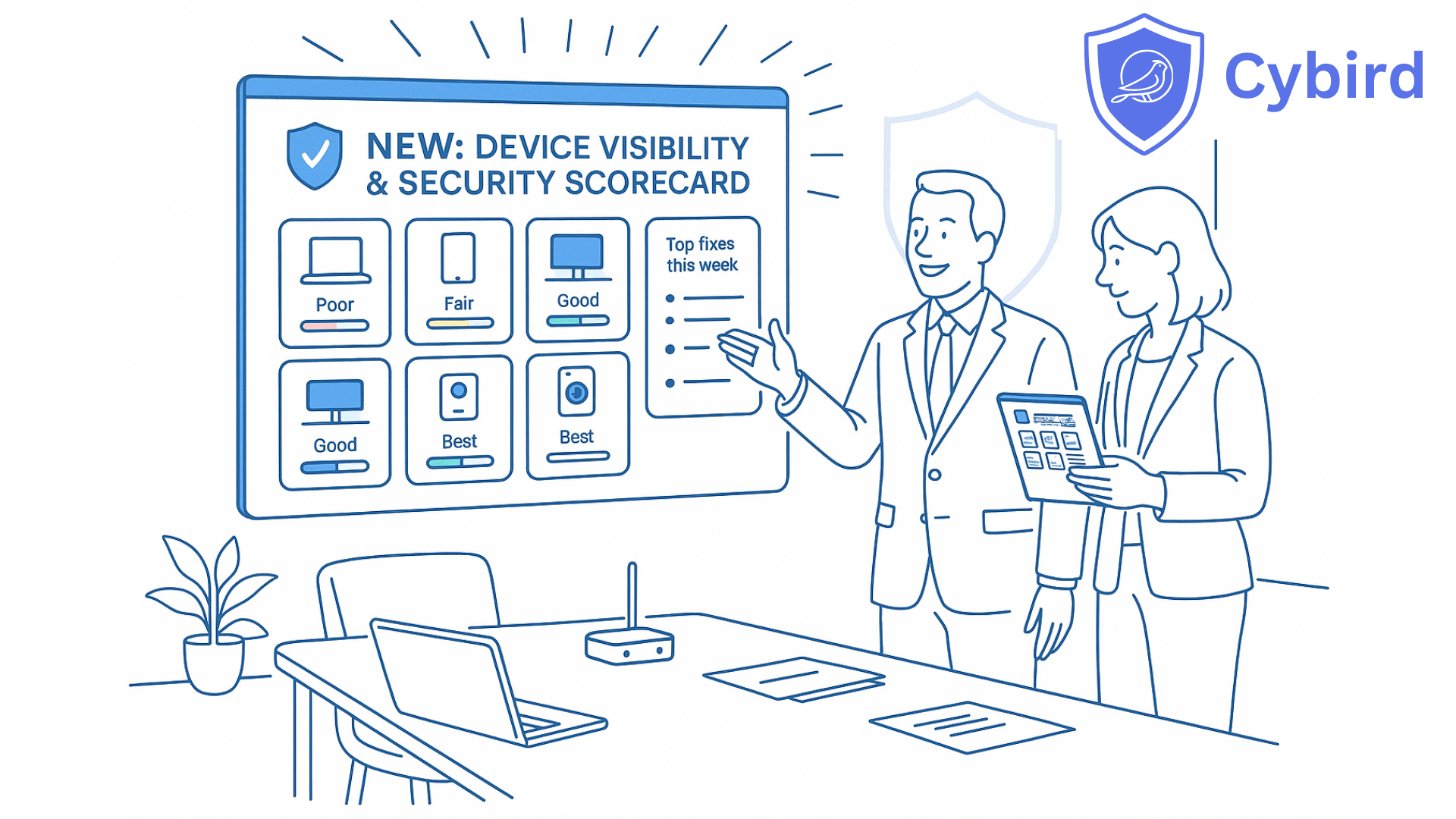
See every device. Know if it is protected. Get a short weekly fix list you can actually act on.
If you run a clinic, café, accounting firm or small manufacturing unit, you’ve probably asked your IT person:
“Are we actually protected?”
Most of the time, you get a version of:
“We should be, yes.”
Not because anyone is hiding something, but because it’s hard to answer that question with evidence:
- Devices appear and disappear on Wi-Fi.
- Antivirus quietly expires on a few laptops.
- Backup fails on one PC and nobody notices.
- A staff member installs a free VPN or remote access tool that bypasses your protection.
On paper you “have security.”
In reality, you’re guessing.
Cybird’s new release is designed to end that guesswork — and replace it with live, device-level proof.
In less than a week, you can:
- See every device on your network.
- Know how well each one is protected, with a simple score.
- Get a short, prioritized list of fixes that move the needle fastest.
We call this your Security Scorecard.
What we’re launching
We’re introducing two tightly connected capabilities for small businesses and the MSPs who support them:
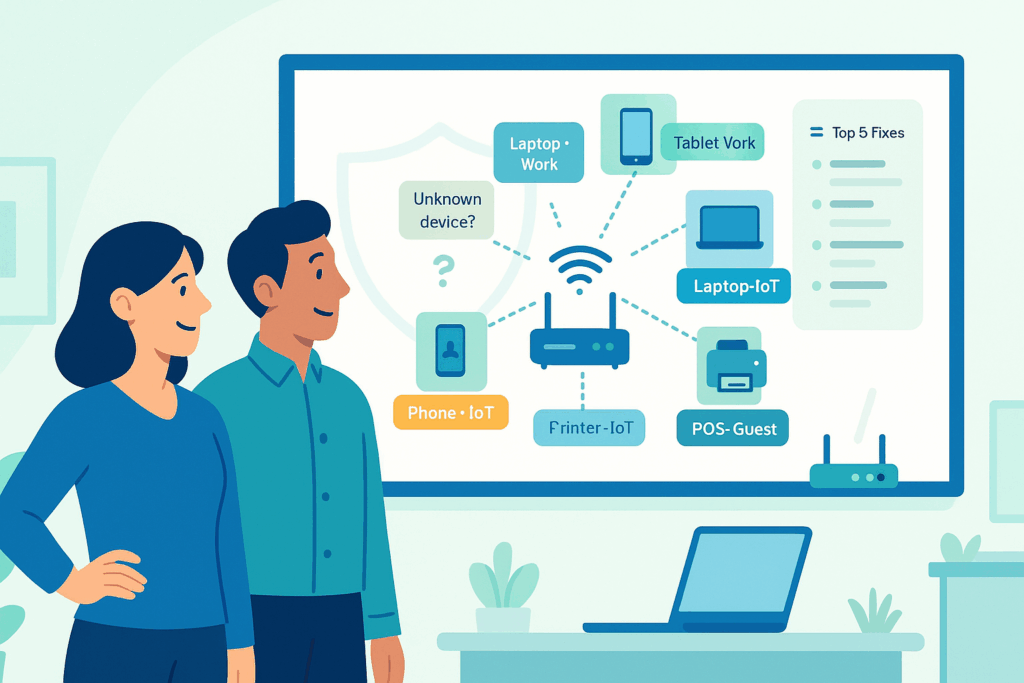
1. Advanced Device Fingerprinting
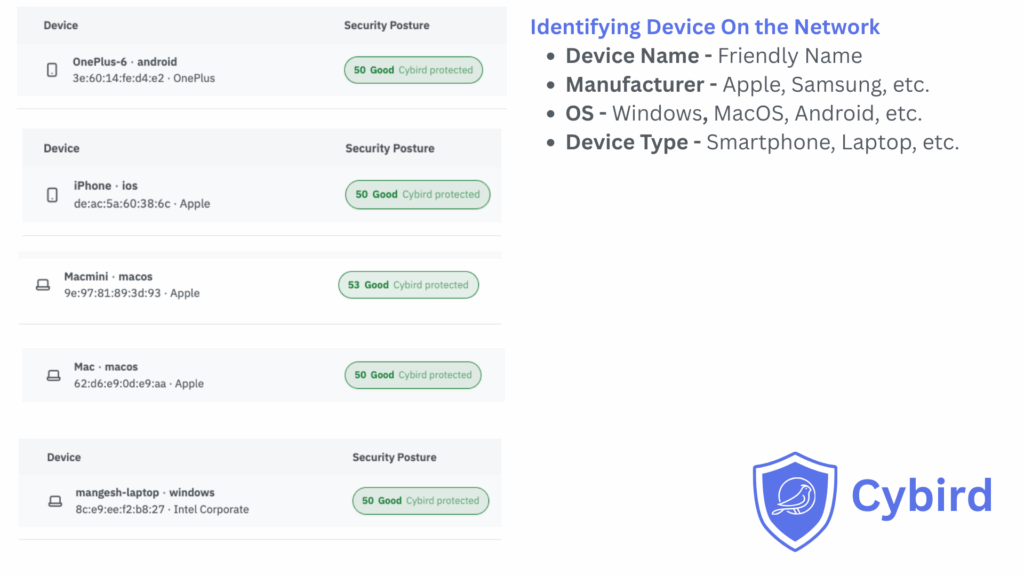
See every device on your network and understand what it really is:
- Laptop, phone, tablet, printer, camera, TV, IoT device
- Windows, macOS, iOS, Android, ChromeOS, etc.
- Which profile or Wi-Fi identity it belongs to (staff, guest, IoT, contractor)
No agents to deploy. No manual inventory. Your Cybird router uses what it already sees.
2. Device Security Posture
Give every device a 0–100 security score based on real signals:
- Is antivirus/EDR present and active?
- Is backup connecting regularly or has it gone silent?
- Is the device managed by your RMM/MDM tools?
- Are risky remote access tools installed?
- Is a consumer VPN bypassing your protection?
Each device gets:
- A simple label: Poor, Fair, Good, Very Good, Best
- 1–3 clear reasons (e.g., “No AV seen”, “Backup stale”, “Unmanaged laptop on staff Wi-Fi”)
- One recommended next step
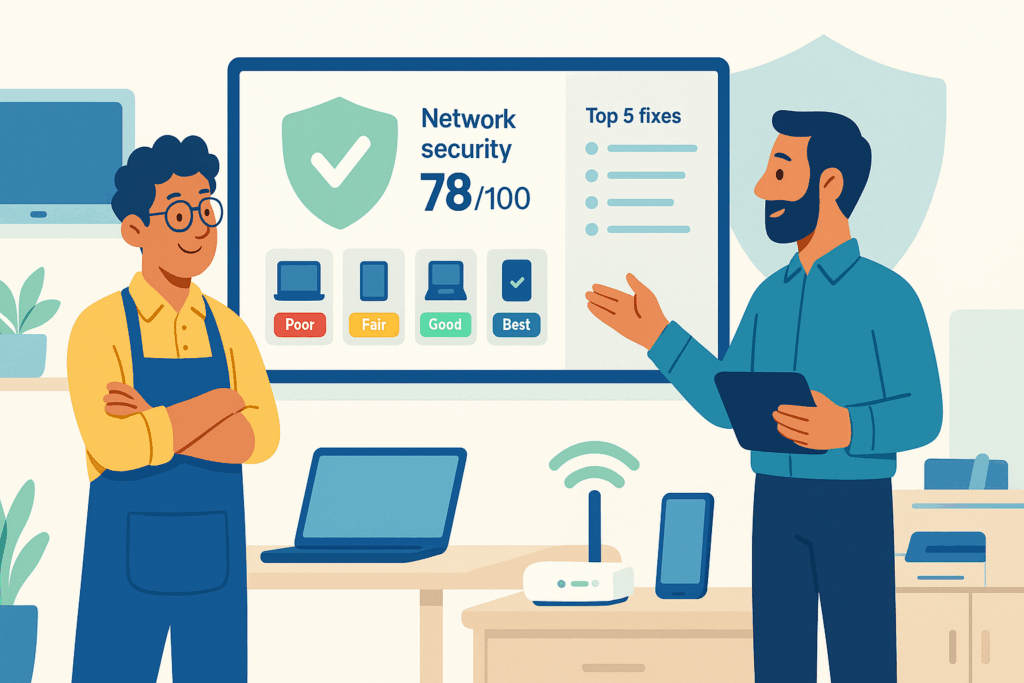
Together: your Security Scorecard
These two features roll up into a live scoreboard:
- Per device – identity, score, reasons, next step
- Per user/profile – all their devices, one score
- Per office – a single network score and trend over time
One view you can show to a partner, client, bank or cyber insurer and say:
“Here’s how protected we are — and what we’re improving this month.”
Three outcomes that matter to small businesses
This release isn’t about new dashboards. It’s about changing outcomes.
1. You finally know what’s on your network
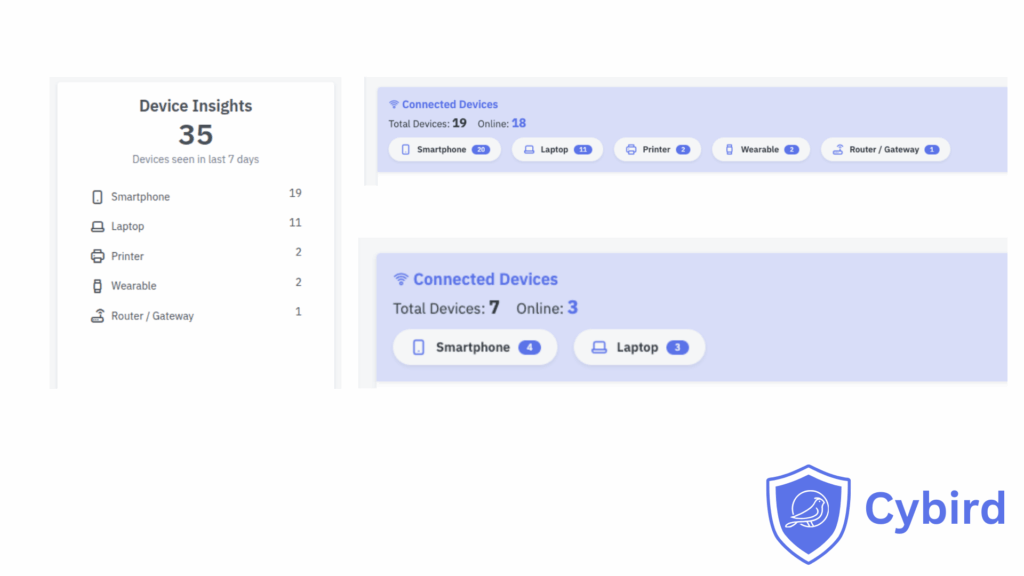
With Advanced Device Fingerprinting, you stop playing “what is this device?” every time you open a list of MAC addresses.
You see:
- Exactly how many work devices you have
- Which ones are personal or guest devices
- Which devices are cameras, TVs, printers and IoT
- Which are tied to specific staff profiles
You can answer questions like:
- “Do we have unmanaged laptops on staff Wi-Fi?”
- “How many devices would actually hurt us if they went down?”
- “Can we put all cameras and TVs in their own safe lane?”
Business outcome: fewer surprises, cleaner Wi-Fi, and much faster troubleshooting when something goes wrong.
2. You see where protection is missing or stale
Most small businesses already pay for security tools:
- Antivirus / EDR
- Backup
- RMM / MDM
- VPN
- Password managers
The problem: no one is watching whether they’re working everywhere, all the time.
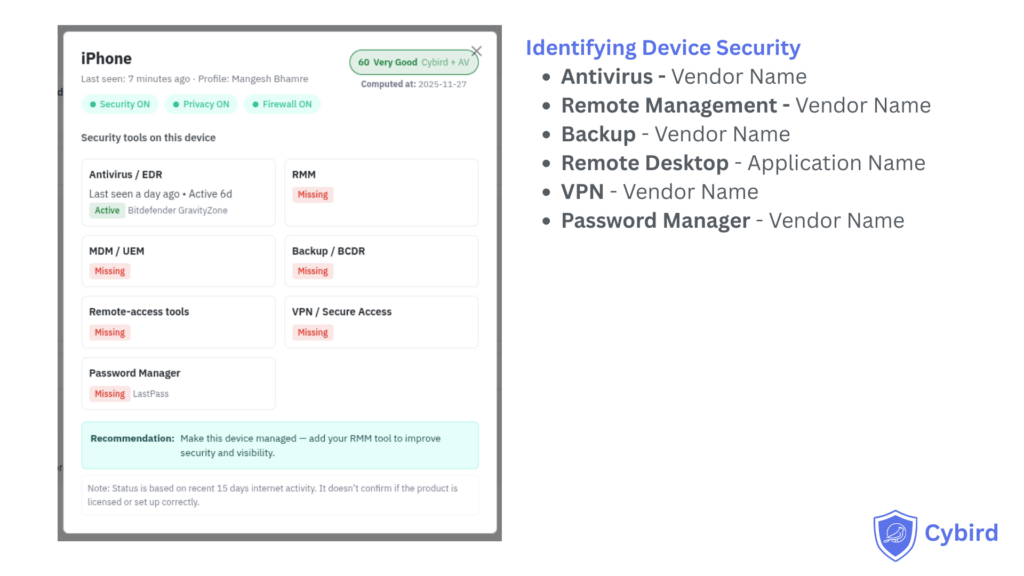
Device Security Posture uses network signals to decide, for each device:
- Is AV present and talking to its cloud?
- Has backup connected recently?
- Is this device actually under management?
- Has a risky remote tool or consumer VPN appeared?
Instead of raw logs, you see:
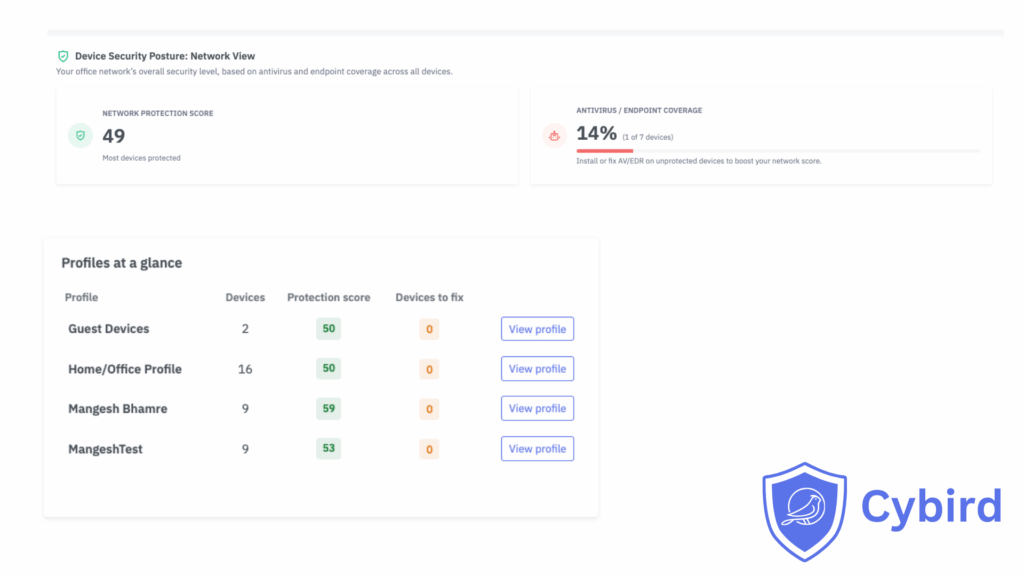
- “7 devices: Good or better”
- “4 devices: Fair”
- “3 devices: Poor – missing AV or backup”
We’re already seeing early users cut their number of “weak” devices by 30–50% in the first month, simply by following the top recommendations.
Business outcome: you stop arguing over opinions (“We’re fine”) and start making decisions based on facts.
3. You get a weekly improvement plan, not a flood of alerts
Alerts are for emergencies. They don’t tell you what to do this week.
The Security Scorecard gives you and your IT partner a short, ordered list such as:
- “3 devices lost antivirus in the last 7 days.”
- “2 laptops are unmanaged on staff Wi-Fi.”
- “Backup hasn’t connected on 1 key PC for 5 days.”
- “1 work device is using an unapproved remote access tool.”
You can decide:
- Fix these today
- Schedule these this week
- Plan these for the monthly window
Business outcome: security becomes a steady, manageable habit — not a panic project after a scare.
Real-world examples
A dental clinic: from assumptions to proof
Before
The clinic believed all dentist and reception PCs were protected. Backup and AV had been set up “years ago” and never touched.
What Cybird showed in the first week
- 2 laptops without antivirus
- 1 reception PC where backup hadn’t contacted its cloud in weeks
- 1 unmanaged temp worker laptop sitting on staff Wi-Fi
After
- AV fixed on 2 machines
- Backup repaired on the reception PC
- Temp device moved to guest network
Their network score moved from 56 (Fair) to 81 (Very Good) in two weeks — and the owner now gets a simple monthly summary instead of hoping everything is okay.
An accounting firm: visibility for remote and hybrid
Before
Partners worked from home and client sites. Some laptops had backup, some didn’t. A few team members installed personal VPNs “for privacy,” which meant the firm lost visibility into what they were doing on work devices.
What Cybird showed
- Several laptops with no backup activity for 14+ days
- Devices using consumer VPNs that bypassed DNS filtering and logging
- Personal phones sitting on the same office Wi-Fi as accounting systems
After
- Standardized backup across all work laptops
- Only one approved business VPN allowed on staff devices
- Personal phones moved to a dedicated guest network
Now, when clients or auditors ask “How do you protect endpoints?”, the firm can show a Security Scorecard and trend, not just a policy slide.
Why this matters now
This isn’t a “someday” problem. It’s already on your doorstep:
- Cyber insurance and big clients increasingly ask how you prove your endpoints are protected.
- Hybrid work means more laptops and personal devices touching your network.
- Most SMBs already pay for AV and backup, but don’t know where they’re installed or working.
Cybird’s Security Scorecard gives you a way to answer:
“Are we protected?”
with evidence, not guesses.
How this is different from other tools
There are plenty of dashboards in cybersecurity. Here’s what makes this one different for small businesses:
- No endpoint agents to deploy
Cybird uses the intelligence of your router and DNS traffic. You don’t have to install software on every laptop and phone. - Vendor-neutral view
It doesn’t matter which AV, backup, RMM or VPN brands you use. We look at signals from all of them to understand coverage. - Built for SMBs and MSPs, not just enterprises
You get scores, plain-English reasons and a short fix list — not a SIEM full of log searches and correlation rules. - Identity-aware, not just IP-aware
When you use per-user Wi-Fi, we tie risk to people and profiles, not just anonymous MAC addresses.
In short: enterprise-style visibility, without enterprise-style headaches.
A quick technical note (for IT and security teams)
Cybird’s Device Security Posture is designed to be agentless and lightweight. A few important details:
- We infer the presence of security and productivity tools (AV/EDR, backup, RMM, VPN, etc.) based on the domains those products access regularly over a rolling 15-day window.
- If a device talks to the known cloud endpoints of a product often enough in that period, we mark that control as “seen” and factor it into the device’s score.
- If those domains stop appearing for that device, we gradually treat the control as “stale” and then “missing” in the posture view.
There are also a few intentional limits:
- We do not claim that any detected product is correctly licensed, configured or fully up to date — only that we are seeing network signals that match it.
- We don’t inspect files, processes or local settings on endpoints, and we don’t break encryption.
- Think of this as a coverage and health map based on real traffic, not a formal compliance audit or guarantee.
In other words: Cybird tells you which devices appear to be protected by which tools, and where signals have gone quiet, so you and your IT partner know where to investigate first.
Where your MSP or IT partner fits
Many of our customers work through a trusted IT services provider or MSP. The Security Scorecard is designed to make that relationship stronger:
- You get an honest view of your security in language you understand.
- Your MSP gets a clear, prioritized list of actions that make a visible difference.
- Both of you can see progress each month as scores improve and weak devices disappear.
Instead of, “We did some updates,” you can hear:
“We raised your network from 62 to 79 this month by fixing AV on 4 machines, enabling backup on 3, and isolating 2 risky devices.”
That’s a conversation every owner understands.
Ready to see your own Security Scorecard?
For small business owners
Ask your IT partner or MSP to run a 7-day Cybird Device Security Assessment.
After one week you’ll receive:
- A complete view of every device on your network
- A Security Scorecard for each device and for your office as a whole
- A short, prioritized list of the top 5 fixes that will raise your score fastest
If you don’t currently work with an IT partner, reach out to us — we’ll help you get started.
For MSPs and IT service providers
Pick one pilot client and:
- Turn on Advanced Device Fingerprinting and Device Security Posture
- Run a 7-day assessment
- Use their before/after Security Scorecard in your next QBR to show visible improvement, not just ticket counts
You’ll have a new, concrete way to prove value and open better security conversations with your SMB customers.

Founder & CEO of Cybird.