
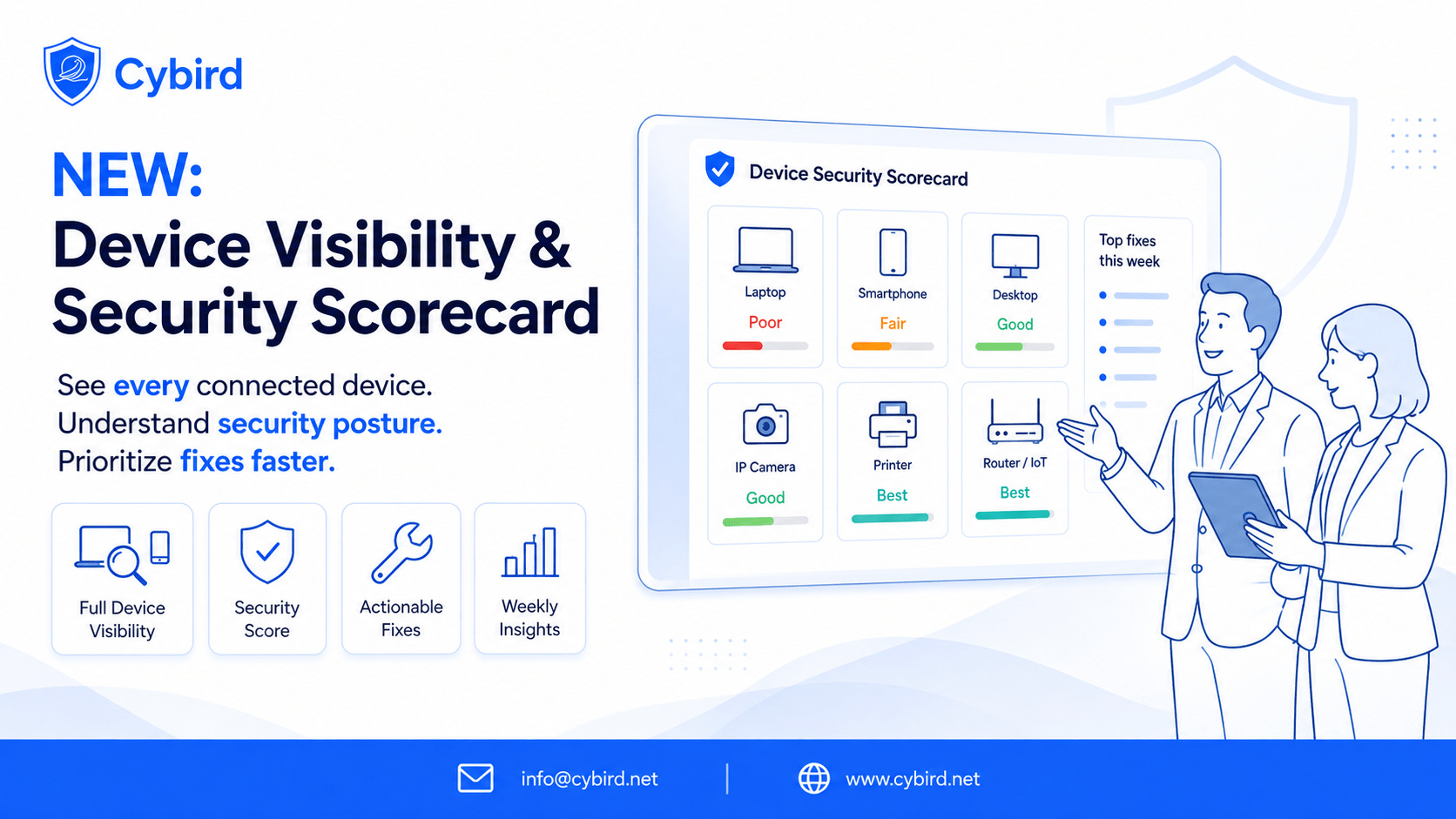
The MSP-ready way to see every device, score risk, and act—without agents
Most small businesses don’t get breached because their firewall is “bad.” They get exposed when an unknown device lands on Wi-Fi and no one knows what it is, who owns it, or whether it’s protected. Cybird’s new Device Fingerprinting solves that—turning raw network signals into plain-English device identity, OS visibility, and a practical security posture score you can act on in minutes.
Additionally SMB networks get messy fast: unknown devices on Staff Wi-Fi, TVs mixed with laptops, and no quick way to tell if endpoints are actually protected. Cybird’s Device Fingerprinting fixes that—turning network signals into plain-English device identity, OS visibility, and a practical posture score you can use to automate work and prove value in QBRs.
Below, we’ve mapped the market’s proven use cases (what leading fingerprinting vendors talk about) to how Cybird delivers them for MSPs and SMBs—simply, agentlessly, and with outcomes you can show.
1) Device & OS identification (the foundation)
Market expectation
Continuously discover all connected assets (managed, unmanaged, IoT/OT), classify type and OS for live inventory and risk work.
Cybird delivers
- Device types in plain English: Laptop, Smartphone/Tablet, Smart TV/Streamer, Camera/NVR, Printer, Console, IoT/Wearable.
- OS out of the box: Windows, macOS, iOS, Android, ChromeOS, Linux.
- Works on day one: Agentless signals (hostname, OUI when available, DNS destination metadata, behavior) handle private/random MACs gracefully.
- Per-user Wi-Fi (WPA2-Enterprise) optional: Map devices to real people for accountability—“Maya’s iPhone (Staff)”, “Raj-MBP (Finance)”.
Why MSPs care
Live, trustable inventory per site without client installs. Less sleuthing, faster decisions.
2) Risk & posture assessment (close the real gaps)
Market expectation
Score risk from observed behavior and missing controls; surface unmanaged or vulnerable endpoints.
Cybird delivers
- Posture score per device & site fed by presence/recency of: AV/EDR, MDM/UEM, Backup, Password Manager, VPN, RMM, RDP activity.
- Time-aware gaps: Missing core controls for 7–15 days automatically downgrade posture.
- Actionable badges: Green (protected), Amber (attention), Red (at risk).
Why MSPs care
Know exactly which five things to fix this week. Turn posture improvements into upsellable services (AV, MDM, Backup).
3) Network access control & segmentation (least-privilege, without drama)
Market expectation
Use fingerprinting to place devices into the right policies/VLANs and lock down risky categories.
Cybird delivers
- Preset policies (no VLAN redesign required)
- Staff laptops → Business Internet
- Staff phones → Internet + SaaS
- IoT/CCTV/Printers → Internet-only
- Unknown/Visitors → Guest
- Staff laptops → Business Internet
- One-click moves: TVs/Streamers shift to IoT; unknown stays in Guest until approved.
- Guardrails: Optional policies to restrict sensitive protocols (e.g., RDP) unless posture is Green.
Why MSPs care
Fewer “slow Wi-Fi” tickets, reduced lateral movement risk, and client-friendly explanations.
4) Anomaly detection & incident response (signal, not noise) – Work In Progress!
Market expectation
Spot unusual behavior per device type and automate actions via tickets/blocks.
Cybird delivers
- High-yield alerts:
- RDP observed on a device without MDM → alert
- Windows laptop with no AV seen for 7 days → P2 ticket.
- New device on Staff → Move to Staff profile or to IoT Profile.
- RDP observed on a device without MDM → alert
- Noise controlled by design: Defaults target what matters to SMBs; tunable thresholds for advanced partners.
Why MSPs care
Actionable alerts that map to real work and SLAs—without drowning the team.
5) Customer experience & troubleshooting (fewer mystery tickets)
Market expectation
Differentiate 4K TVs from work laptops to resolve Wi-Fi complaints and show improvement.
Cybird delivers
- Instant visibility: “Boardroom-SamsungTV · Smart TV/Streamer · IoT” versus “Raj-MBP · Laptop · macOS · Business.”
- Right traffic on the right network: Keeping TVs/CCTV/IoT off Staff reduces contention and finger-pointing.
- Weekly digest: Device mix and posture changes you can email straight to owners.
Why MSPs care
Less NOC time wasted, happier clients, easier renewals.
6) Privacy-preserving analytics (enterprise-grade posture, SMB-friendly stance)
Market expectation
Insights from metadata—not payloads—while retaining strong device classification.
Cybird delivers
- No TLS decryption and no endpoint agents.
- Uses destination metadata (domains/services), hostnames, OUI hints, and behavior patterns only.
- Explainable results: Evidence trails (without exposing proprietary scoring math).
Why MSPs care
Passes the sniff test with owners and compliance reviewers; less friction during onboarding.
7) Compliance & audit-ready reporting (proof you can hand to the CFO)
Market expectation
Continuous compliance view and exportable evidence for audits and cyber-insurance.
Cybird delivers
- Evidence on tap: First-seen timestamps, posture changes over time, and segmentation history.
- Client-friendly: Clear badges and short narratives instead of raw logs.
Why MSPs care
Moves the conversation from uptime to outcomes—renewals and expansion get easier.
What you’ll actually see (example cards)
- Raj-MBP · Laptop · macOS · AV + MDM present · Backup missing (15d)
- Maya-iPhone · Smartphone · iOS · Healthy posture
- Boardroom-SamsungTV · Smart TV/Streamer · Moved to IoT
- Unknown-Android-23 · Smartphone · New on Guest (first seen now)
MSP playbooks (drop-in, day one)
7-Day Assessment (foot-in-door)
- Deploy Cybird; enable first-seen alerts.
- Apply Staff vs IoT/Guest presets.
- Export Assessment PDF: unknown devices, TVs on Staff, AV/MDM/Backup gaps (7–15d), RDP without MDM.
- Present remediation + MRR add-ons.
30-Minute Onboarding
- Turn on per-user Staff Wi-Fi.
- Enable posture score + weekly report.
- Automations: AV missing (7d) and IoT on Staff → tickets.
QBR Recipe (3 slides)
- Device growth & types, 2) Posture coverage trend, 3) Wins & Next 30 Days.
Zero-touch automation examples
- Ticket: Windows laptop missing AV (7 days) → P2 to PSA.
- Auto-segment: New TV/Streamer → move to IoT policy.
- Guardrail: RDP seen but no MDM → alert
- Compliance nudge: Backup not seen (14 days) → alert.
ROI snapshot (illustrative)
- Tech time saved: ~15 min/day/site chasing “mystery devices” → ~5 hrs/month across 20 sites.
- Upsell lift: Posture typically surfaces 5–10% endpoints missing AV/MDM/Backup.
- Ticket deflection: Keeping IoT off Staff measurably reduces “slow Wi-Fi” noise.
Your numbers will vary; examples reflect common partner outcomes.
FAQ (objection-handling)
Will this work with private/random MACs?
Yes—Cybird correlates hostname, destination metadata, and behavior patterns; OUI is used only when available.
Is this going to blow up my alert queue?
Defaults focus on high-value signals. You can tune thresholds and automate response.
Do we need agents?
No. It’s agentless and privacy-preserving by design.
How fast can we roll it out?
Typical sites are live in ~30 minutes.
Can we export proof for audits/QBRs?
Yes—scheduled PDFs and CSV exports.
In one line
Cybird Device Fingerprinting shows every device and OS that connects—and, with security/management signals, tells you whether those devices are actually protected—so you can act fast, automate the right work, and prove value in every QBR.
→ Book a 20-minute MSP demo • → Get the Assessment Kit

Founder & CEO of Cybird.